

A printer must do more than pull paper from a tray. It has to select one sheet, control its position and deliver it to the printing area at the correct time.
A typical sheet-fed printer paper feed system uses a pickup mechanism to draw a sheet from the stack, a separator to restrain extra sheets, and driven rollers to transport the selected sheet. Guides and registration controls establish its alignment and arrival timing. Sensors monitor progress while the controller coordinates the drive. After printing, output rollers discharge the sheet or route it through a duplex path.
The arrangement varies between printers. This guide focuses on common sheet-fed mechanisms and explains where roller materials, bearings and mating geometry affect the complete system.
What Happens Between the Paper Tray and the Output Tray?
The paper path performs a sequence of tasks: pickup, separation, transport, alignment, printing and discharge.
In a simplified single-sided path, the sequence is:
Paper stack → pickup and separation → transport and alignment → printing area → output rollers → output tray
A duplex route returns the sheet for the second side. Some functions share a roller assembly; others use separate mechanisms. The path may bend around the printer chassis rather than follow a straight line.
Canon's explanation of paper loading and feeding in office multifunction devices describes both rubber-roller pickup and air-assisted suction-belt feeding. It also explains how sensors monitor sheet arrival along the route. This article uses the roller-fed arrangement as its main example.
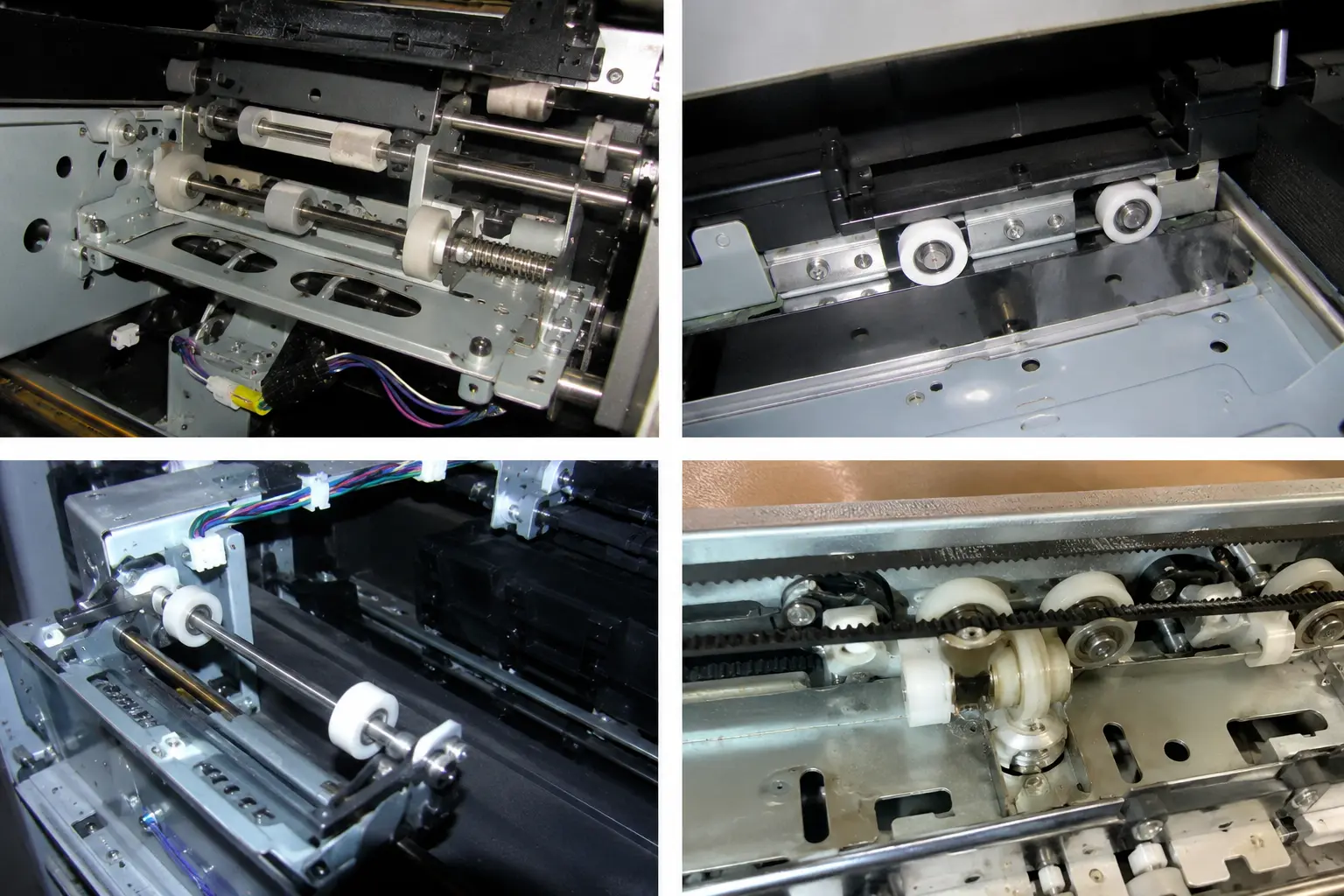
Different roller positions perform different jobs. These mechanism views illustrate component arrangements rather than a complete, labelled paper path.
How Does the Printer Select One Sheet?
Pickup starts the sheet moving; separation controls how many sheets continue into the printer.
The tray supports the stack and establishes its starting position. In many cassette designs, a spring or lifting mechanism keeps the paper near the pickup roller as the stack becomes shorter. Side and end guides locate the sheets without replacing the printer's later alignment controls.
The pickup roller makes contact with the exposed sheet and applies a tangential force. Its surface needs sufficient grip for the intended paper. However, friction between neighbouring sheets can also drag another sheet forward.
A separation pad or retard-roller arrangement resists that additional movement. The separation action depends on the mechanism: some systems use a stationary friction surface, while others use a roller with controlled resistance or torque. The pickup and separation functions must work together over the specified media range.
For a documented example, Epson's paper loading and feed mechanism description follows a sheet from the cassette pickup roller through separation and retard rollers to intermediate transport. This is one machine architecture, not a universal arrangement for every printer.
I first ask whether a proposed wheel must grip paper, restrain another sheet or rotate freely against a moving surface. Those functions require different decisions about material, contact force and rotational resistance.
How Do Rollers Move, Align and Release the Paper?
Driven rollers provide motion; their contact geometry and timing determine how the sheet enters each stage.
Transport Through a Roller Nip
A roller nip is the contact region where opposing surfaces grip the sheet. A motor-driven roller commonly works against a pressure roller or idler. The opposing member helps maintain contact and may turn through friction rather than through its own drive.
The mechanism transfers motion through gears, belts or other drive elements. Clutches can connect or release selected sections. A roller that remains engaged at the wrong time can resist a downstream stage that has already taken control of the sheet.
Guides support the paper between nips and through curves. Their position matters because paper is flexible: a gap, abrupt transition or unsuitable entry angle can change how the leading edge reaches the next roller pair.
Alignment and Registration
Registration coordinates the sheet's position with image formation. It can include correction of skew, control of the leading-edge position and release timing.
One common method briefly brings the leading edge against a stopped roller pair. Controlled additional feeding lets the edge settle into alignment before the rollers advance it. Other designs use different sensing and correction methods; not every printer squares the sheet against a stopped nip.
For an OEM review, I would examine roller parallelism, guide position and the space allowed for the sheet to flex. A loose roller turning smoothly on a bench does not demonstrate accurate paper registration.
Printing, Output and Duplexing
The transport mechanism then moves or positions the paper according to the print engine's requirements. Many scanning inkjet printers alternate sheet advances with printhead passes. Other inkjet architectures and laser printers use different transport sequences.
In a laser printer, the route also passes through toner transfer and fixing. The laser-printer fixing explanation from Canon describes the use of heat and pressure to bond toner to paper. These specialised fixing components have requirements beyond those of a general guide wheel.
Output rollers carry the finished sheet clear of the print area. In an automatic duplex design, a diverter and return path may redirect it for the other side. The precise reversal, waiting and transport sequence depends on the printer and media.
What Do Motors, Sensors and the Controller Contribute?
The drive creates movement; sensors provide the events the controller uses to coordinate it.
A sensor may detect the paper edge through a mechanical flag connected to an optical detector, or use another sensing arrangement. As the leading and trailing edges pass, the controller receives information about sheet progress.
Brother's published image-forming device patent US7140707B2 provides an example with paper-actuated sensors before and after registration rollers. Their state changes allow the control system to follow the sheet through the mechanism. The patent describes a particular implementation rather than a requirement for all printers.
Encoders, where fitted, provide additional information about drive position or motion. They do not automatically prove that the paper has travelled the same distance: the roller can turn while slipping against the sheet.
This distinction matters during design validation. Roller motion, paper motion and sensor timing are related measurements, but they answer different questions. A component supplier needs the mechanical requirement; the equipment manufacturer must also coordinate it with the control sequence.
Why Do Printer Rollers Use Different Materials and Structures?
The roller's task determines whether grip, low drag, dimensional stability or surface protection takes priority.
A soft paper-contact surface and a rigid guide wheel may look like variations of the same part. Their working interfaces can be quite different.
| Component role | Main function | Design characteristics to review |
|---|---|---|
| Pickup roller | Starts a sheet moving from the stack | Grip, contact force, surface condition and media compatibility |
| Separation pad or retard roller | Restrains unwanted additional sheets | Friction relationship, resisting force or torque, and wear behaviour |
| Driven transport roller | Advances the sheet | Effective diameter, traction, drive connection and run-out |
| Pressure roller or idler | Maintains contact or provides free-running support | Contact force, rotational resistance, alignment and surface marking |
| Guide wheel | Supports or guides a defined moving surface or mechanism | Wheel profile, bearing arrangement, clearance and actual contact object |
| Output roller | Transfers the printed sheet towards discharge | Surface marking, grip and coordination with upstream transport |
Rubber or an elastomer may be appropriate where traction and compliant contact are needed. A rigid engineering-plastic wheel may suit a defined guide or support position. Exact compounds, geometry and operating conditions determine suitability; material colour does not identify a specification.
Paper also changes the contact behaviour. Surface finish, coating, stiffness, curl and environmental conditioning can influence transport. Canon's manufacturing analysis of paper feeding identifies paper tension, toner and paper dust as factors affecting actual feed speed, and discusses measuring changes in paper-to-rubber friction.
My sourcing preference is to validate the proposed wheel with the intended media and mating structure. A claim of “low friction” alone is insufficient for a part whose job is to grip paper.
Where Can a Sliding Roller with Bearing Fit into Printer Equipment?
A bearing roller can support controlled rotation in suitable guide or idler positions, provided its complete construction matches the mechanism.
The bearing allows relative rotation between the wheel and its supporting axle. It does not supply the paper-driving force or determine the wheel's surface grip.
HUNE's sliding rollers with bearings show wheel-and-bearing constructions that equipment designers can assess for defined guiding or supporting functions. Suitability still depends on what the wheel contacts, how it is mounted and what loads it receives.
For example, flat roller wheels with bearings provide one profile to compare where the mating surface calls for a flat running band. A grooved or flanged design needs a corresponding mechanical purpose. An exposed flange near a paper edge must not be assumed to improve tracking.
Some printer rollers rotate with a driven shaft; others rotate around a fixed axle. Bearings may be inside a wheel or located at the ends of a shaft, and some positions use bushings. These arrangements cannot be treated as interchangeable.
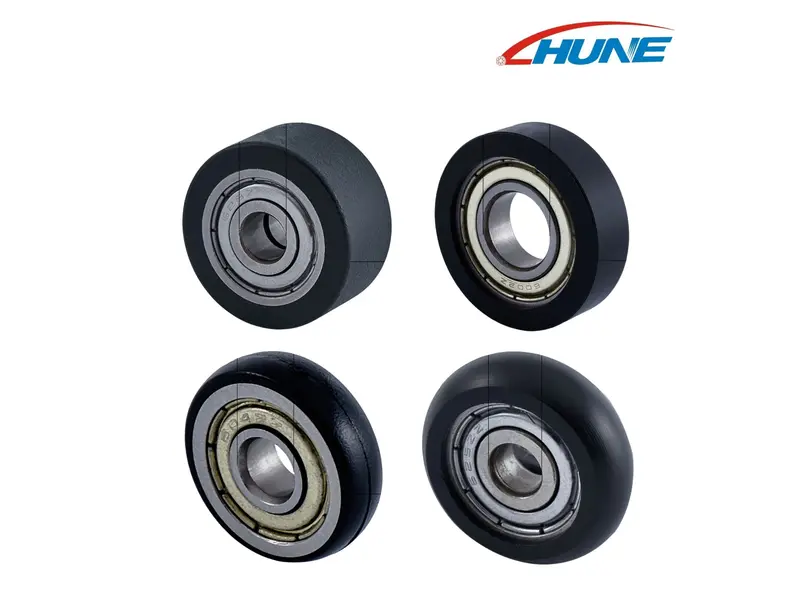
These are component examples for engineering comparison, not a claim of compatibility with a particular printer model.
Which Dimensions Matter When Developing a Printer Roller?
Control the interfaces that locate the wheel, establish contact and allow the intended rotation.
I review the roller together with its shaft, bearing or bushing, spacer, bracket and mating surface. The drawing should identify the working diameter and width, contact profile, axle or bearing fit, axial location and relevant run-out datum.
For a driven roller, diameter variation can change surface travel per revolution. For an idler, unwanted bearing drag or contact with a bracket can add resistance. In either case, poor alignment can create an uneven contact condition.
Specify functional tolerances from the mechanism's needs rather than applying the same tight limit to every feature. Include any required surface finish, material grade, cleanliness and conditioning instructions.
A prototype should answer a defined question: geometry, media contact, starting resistance or repeatability. If production will use moulding, a machined sample alone does not establish the behaviour of the final moulded assembly. The comparison of POM roller machining and injection moulding explains this development choice.
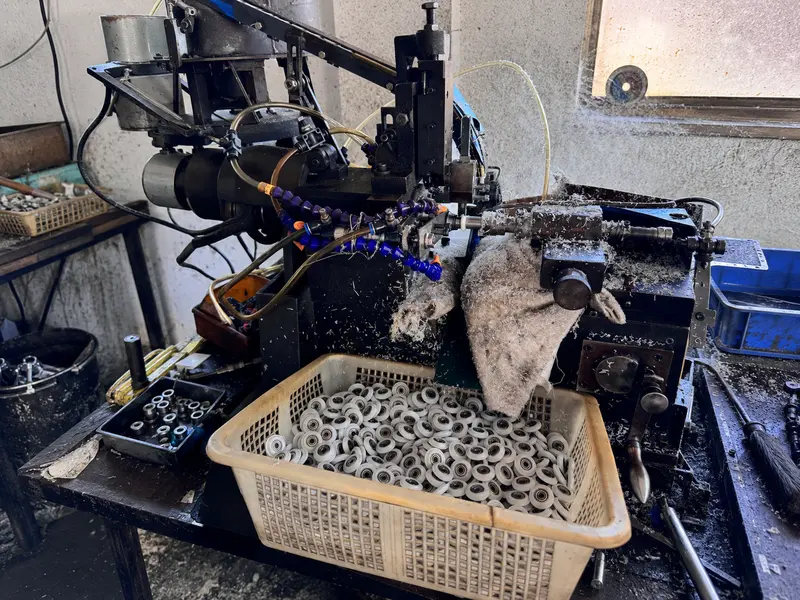
The production route and inspection method should be agreed for the specified roller. This image does not identify a printer-specific production order.
Frequently Asked Questions
Is a Paper Feed Roller the Same as a Pickup Roller?
The terms sometimes overlap in parts descriptions, but the pickup roller specifically starts paper moving from the stack. “Paper feed roller” can refer more broadly to a roller that advances paper through the path. For an OEM enquiry, identify the component's location, contact surface and drive arrangement instead of relying on the name alone.
Does Every Printer Roller Contain a Ball Bearing?
No. A roller may rotate around an axle using a bearing or bushing, or turn with a shaft supported elsewhere. Some assemblies include clutches or other drive features. A ball bearing can be appropriate for a free-running wheel, but it is not a universal requirement. The supporting structure and intended motion determine the arrangement.
Is the Automatic Document Feeder Part of the Same Paper Path?
Usually, the automatic document feeder carries original documents to a scanner, while the printer's paper feed system brings blank media to the print engine. Both handle sheets, but their paths and purposes differ. Identify whether an enquiry concerns scanning or printing, since roller position, contact requirements and component construction may differ substantially.
Do Roll-Fed Printers Work the Same Way?
They share the need for controlled media movement, but roll-fed machines manage a continuous web rather than selecting individual sheets from a stack. Their design must account for unwinding, guidance and tension, with cutting or rewinding where applicable. A sheet-fed pickup-and-separation explanation therefore does not describe the complete mechanism of a label or large-format roll printer.
Discuss a Printer Guide or Bearing Roller with HUNE
HUNE manufactures sliding rollers, plastic-coated bearing wheels and related custom components for equipment and hardware applications. For printer projects, we can review a proposed roller against the customer's drawing and defined mechanical function.
Send the roller drawing or sample, its position in the mechanism, the contacted media or surface, drive or idler arrangement, speed, loading, shaft details and available space. Include material requirements, critical dimensions, validation criteria and expected quantities.
Use the HUNE contact form to discuss your custom bearing roller requirements. Start by defining what the roller must do in the paper feed system, then approve the wheel, bearing and supporting structure through representative equipment testing before repeat production.