How to Configure a Conveyor System
Configure the conveying task first, then select the machine components. A conveyor configuration describes how the system carries a product, where it travels, how it moves, and how it interfaces with upstream and downstream equipment. It may include one conveyor or connected sections with different conveying surfaces, drives, guides and controls.
This is different from simply choosing a standard catalog length. A line may need a straight belt section, a curve, a powered roller zone, a stop gate, adjustable guides or a transfer between machines. For the operating principles, see how conveyor belts work. The steps below help an OEM or integrator turn a production requirement into a reviewable specification.
1. Define the Product and Required Throughput
The product envelope and movement requirement set the design boundaries. Record the smallest and largest product, including length, width, height, weight, shape, orientation and the surface that contacts the conveyor. Include packaging, trays or pallets if those are what the conveyor actually carries.
Then describe how products arrive and leave. Are they fed continuously or one at a time? Must they remain separated, accumulate, merge, change direction, or arrive at a machine in a repeatable position? State the target rate in operational terms, such as products per minute or a required cycle time, and clarify whether that is a normal rate or a peak rate.
Product stability matters as much as weight. A tall, narrow package may need more lateral control than a low, wide tray. A small item may need continuous support across a belt, while a rigid tote can bridge gaps between conveyor rollers. Dorner’s conveyor RFQ guide asks buyers to provide product dimensions, orientation, weight, temperature and how the product is presented to and discharged from the conveyor.
I would use a representative product sample or a dimensioned drawing early in the review. A nominal size alone does not show whether a base is flat, whether the load is off-center, or whether a feature can catch on a transfer gap.
2. Choose the Conveyor Type and Conveying Surface
Choose the surface that supports and moves the product in the required way. Belt conveyors carry products on a continuous belt. Roller conveyors support products directly on a succession of rollers and may be gravity-driven, belt-driven, chain-driven or motor-driven. Modular belts, chains, slats and other media suit different product and process conditions.
| Conveying method | Useful starting point when… | Check before specifying |
|---|---|---|
| Flat belt | Products need continuous support or may be small, soft-bottomed or irregular | Belt material, width, friction, transfer gap and cleaning method |
| Modular belt | The line needs a modular surface or a defined path through compatible curves | Product footprint, curve compatibility, wear surfaces and cleanability |
| Roller conveyor | Products have a stable base that can bridge the roller spacing | Roller pitch, product length, roller load, drive method and accumulation |
| Chain or slat conveyor | The product, pallet or fixture needs a positive carrying surface | Carrier design, attachment points, sprocket compatibility and environment |
These are screening choices, not final designs. Food contact, sharp edges, oil, heat, static control and washdown can change material and construction choices. The belt-versus-roller comparison explains how those two common systems support products.
If the conveyor uses rollers, distinguish the main carrying rollers from small guide wheels. The carrying surface supports the product or belt; a guide roller may only control lateral position or contact a carrier edge. Those components have different load paths and should not be sized as if they perform the same job.
3. Map the Layout, Transfers and Machine Interfaces
A plan view and elevation view expose configuration problems early. Draw the route from infeed to discharge, including straight sections, curves, inclines, declines, merges, branches, stops and transfers. Add section lengths, conveyor heights, curve angles and available floor or machine space. Mark where operators, guards, legs, electrical connections and access areas must fit.
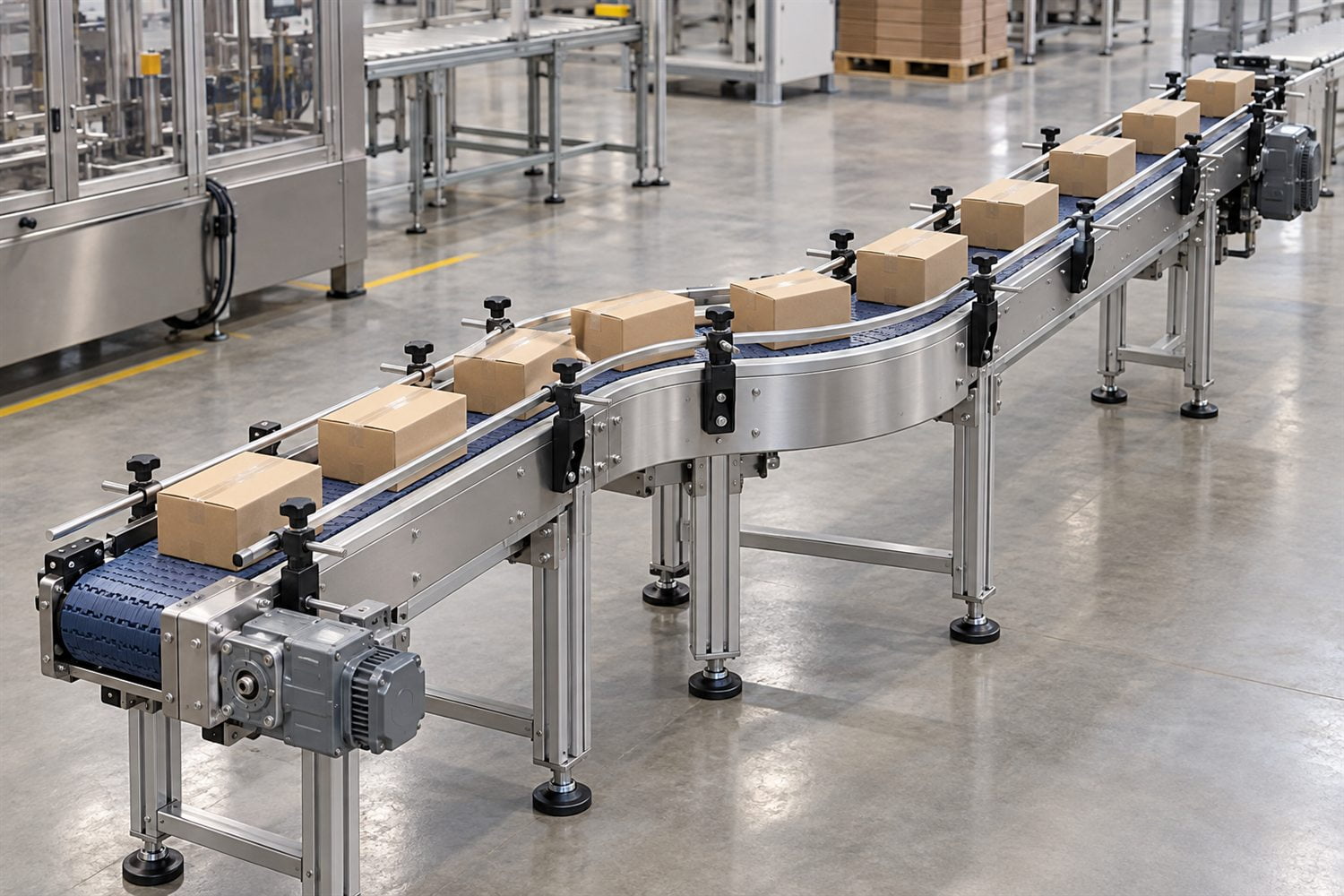
Image placement: after this section. Illustrative editorial image; the actual module, curve and support structure depend on the conveyor family.
Pay particular attention to handoffs between conveyors and machines. Product orientation, timing and transfer height determine whether a gap is acceptable or whether a transfer plate, nose bar, roller transfer or another interface is needed. The mk Conveyor Technology guide treats conveyor width, length, speed, operating mode and installation conditions as configuration variables; actual dimensions and allowable combinations remain model-specific.
For a multi-section line, document which sections run together and which operate independently. If products accumulate, define whether they touch, queue with a controlled gap, or stop in zones. A configuration that moves a single carton smoothly may behave differently when a queue forms behind it.
4. Set Width, Speed, Capacity and Drive Requirements
Size the conveying surface for the real product path and production rate. Conveyor width should account for product dimensions, orientation, side guides and transfer clearance. On a roller conveyor, roller pitch and product length must support stable travel. On a belt conveyor, usable belt width and tracking arrangements matter along with the outside frame width.
Speed should come from the process rate, product pitch and time available at each machine. If a line needs a certain number of products per minute, conveyor speed alone does not define throughput: product gaps, loading pattern, stops and downstream cycle time also matter. Variable-speed drives may help when the process needs adjustment, but the motor, gearbox, drive position and controls must suit the load and duty.
For bulk material, capacity depends on factors such as belt width, speed, material profile, density and incline. That is a different design calculation from unit handling of cartons or totes. CEMA publishes separate standards for belt conveyors, non-powered roller conveyors and powered live-roller conveyors; the relevant standard and qualified conveyor designer should govern detailed sizing.
Do not select a motor from product weight alone. The drive also responds to conveyor length, friction, incline, acceleration, starts and stops, accumulation, transfer resistance and the selected conveying medium. I would ask the conveyor OEM to confirm the duty assumptions and permitted operating range for the chosen configuration.
5. Specify Guides, Rollers and Bearings by Their Function
A guide roller should control a defined contact; it should not be asked to solve a poor layout. Side guides can keep a product, tote or fixture within a lane. Belt-edge rollers may limit lateral movement in some designs. Neither function is automatically the same as supporting the product or carrying a belt.
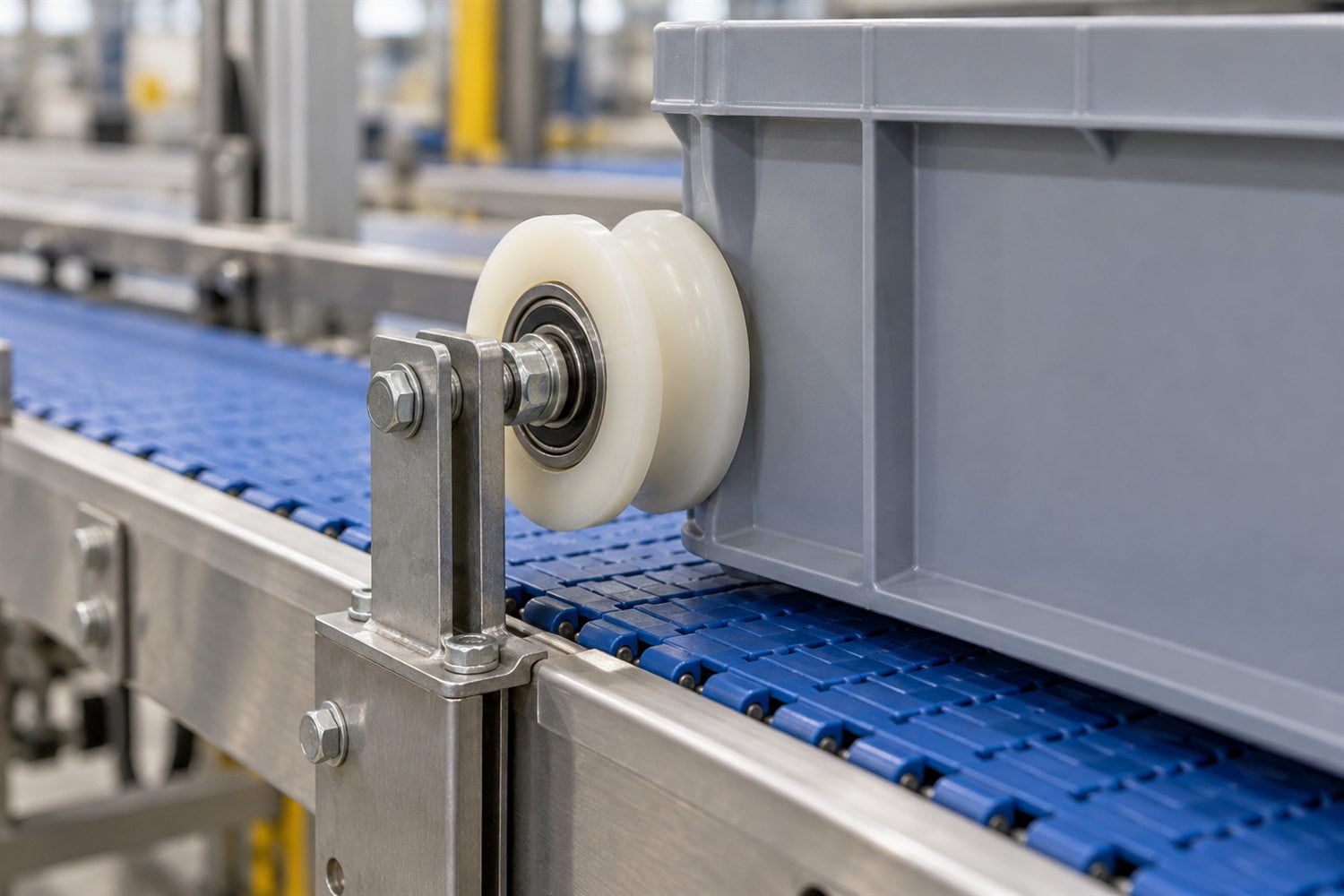
Image placement: after this section. Illustrative image; the roller shown is a lateral guide, while the belt carries the tote.
For each roller, identify what it contacts, how often contact occurs, the direction of force, the wheel profile, the mounting axis and the mating surface. A flat, crowned, flanged or grooved wheel behaves differently against a belt edge, carton, round rail or carrier. Bearing bore, outside diameter, width, axle, bracket stiffness and installed clearance can affect whether the guide turns freely and stays in position.
HUNE supplies bearing-integrated rollers that may suit selected guide and track applications. A plastic-coated bearing roller can be considered where a polymer contact surface and a bearing-supported wheel are appropriate, as described in HUNE’s conveyor guide roller specification. These are component examples; they do not replace the conveyor’s main belt drive, carrying rollers or structural design.
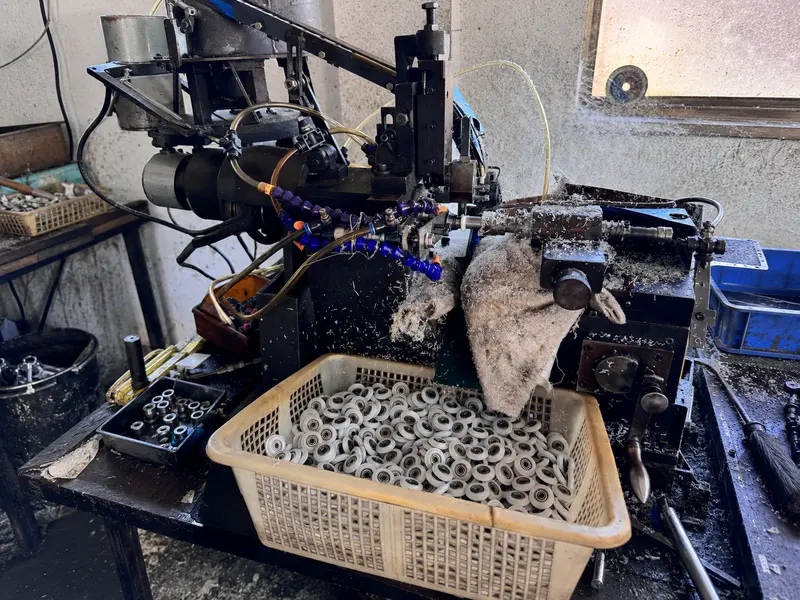
Image placement: after the paragraph introducing HUNE’s roller component and guide-system information. Existing HUNE media-library image.
6. Account for the Environment, Controls and Safety
Operating conditions affect material, construction and control choices. Record ambient and product temperature, moisture, dust, oil, chemicals, cleaning method, corrosion exposure and any static or hygiene requirements. These conditions influence the belt, rollers, frame, bearings, lubrication, guarding and service access. Do not assume that a standard indoor configuration suits washdown, abrasive material or a hot process.
Describe the control sequence: start and stop logic, variable speed, sensors, photo eyes, accumulation zones, direction changes, emergency stops and machine-to-machine signals. For a complex system, provide the operation sequence and control requirements with the layout. Dorner’s RFQ guide specifically requests control and machine-interface information on complex projects.
Safety requirements depend on jurisdiction, conveyor type and workplace. For example, OSHA 29 CFR 1926.555 addresses conveyors in US construction work and includes stopping controls, start-up warning signals and guarding requirements in specified situations. This construction rule is not a universal design code; the responsible machine builder must identify the standards and regulations that apply to the intended installation.
What Information Should You Send for a Conveyor Quote?
A supplier can configure a system more accurately when the RFQ includes product, route and operating data together. Send the information below with drawings or a sketch.
| RFQ item | What to provide |
|---|---|
| Product | Description, material, minimum and maximum dimensions, weight, orientation and sample if available |
| Production task | Required throughput, product spacing, normal and peak rates, accumulation or indexing needs |
| Layout | Plan and elevation, section lengths, curve or incline details, available footprint and conveyor elevations |
| Interfaces | Infeed and discharge points, gap limits, machine connection, required position or orientation |
| Conveyor choice | Preferred belt, roller, modular belt, chain or slat type, if already established |
| Drive and controls | Required speed range, fixed or variable speed, drive position, power supply and control sequence |
| Environment | Temperature, dust, moisture, oil, chemicals, washdown and corrosion exposure |
| Guidance components | Product contact point, side-guide position, guide roller or rail profile, axle and mounting details |
| Project requirements | Applicable standards, guarding expectations, inspection points, prototype needs and production quantity |
For a custom guide roller, include the roller drawing and mating track or product profile, load direction, speed, duty cycle, environment, bearing arrangement and critical dimensions. If you do not yet know whether the guide should be a roller or a fixed rail, share the layout and contact conditions so the conveyor designer can evaluate the function first.
Frequently Asked Questions
What information do I need to configure a conveyor?
At minimum, define the product’s dimensions and weight, required throughput, route, infeed and discharge interfaces, environment, and whether products must stop or accumulate. Add belt or roller preferences, power and controls if known. A layout drawing and representative product sample reduce ambiguity.
How do I choose between a belt conveyor and a roller conveyor?
A belt provides a continuous supporting surface and can carry items that do not bridge roller gaps. Rollers can suit rigid products with stable bases and may allow gravity, belt or chain drive. Product footprint, orientation, transfer geometry, accumulation and cleaning needs should guide the final choice.
How do I select conveyor speed?
Start from the required process rate, product pitch and downstream cycle time. Include spacing, stops, accumulation and transfer time. The conveyor supplier should verify the drive and speed range for the actual load and operating mode; one speed value does not establish throughput by itself.
Where do bearing rollers fit in a conveyor system?
Bearing rollers may act as product side guides, belt-edge guides or local track wheels when the design uses rolling contact at that point. They are not automatically the rollers that support the belt or product. Define the contact and load path before selecting a bearing roller.
What should I include in a conveyor system RFQ?
Include a layout, product information, required rate, conveyor dimensions, process sequence, drive and control needs, operating environment, machine interfaces and relevant safety requirements. For custom guide rollers, add the mating profile and mounting geometry.